
GCMOB APP

Learn about gCMOB APK, gCMOB app, CCTV camera monitoring, gCMOB for PC, Windows 11 and Laptop, features, playback.

gCMOB APK: Easy CCTV Monitoring on Mobile, PC, Windows 11 and Laptop
Watching a CCTV camera does not necessarily mean that you are sitting in front of a monitor. The gCMOB app is a simple solution for this arrangement on supported systems.
gCMOB is a CCTV, DVR, NVR, IP camera and mobile surveillance app. That means you wouldn’t have to visit the CCTV recorder every time you’d like to check something out, and instead would open up the app with a view of the camera on your phone.
The gCMOB app is very handy for people who use CP PLUS surveillance devices that are well-matched. You will be able to view live, play back recorded video, control the camera, manage devices and notifications as well as other remote monitoring.
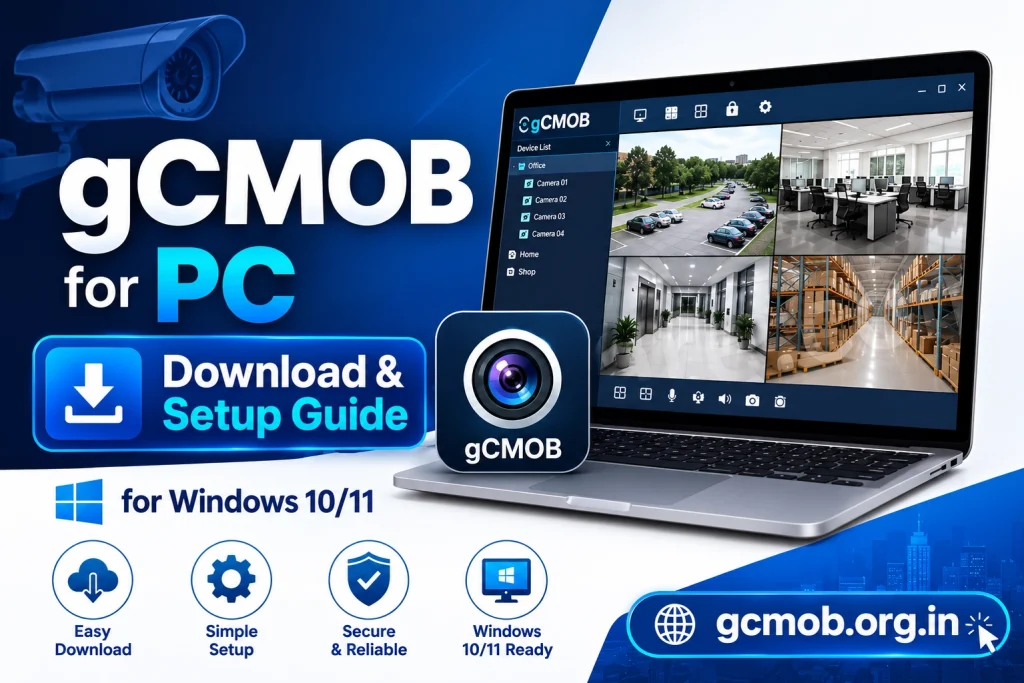
The gCMOB is also a popular app for Windows such as gCMOB for PC, gCMOB for PC download, gCMOB for Windows 11 and so on.
The simplest guide to gCMOB in the history of the universe. You will know what is the app, how to work it with, what options you can do on this application for CCTV camera connection while you want to view your existing cameras from computer or TV Etc.
What Is gCMOB and gCMOB APK?
gCMOB is an app to monitor CCTV used to remotely control supported cameras. It gives you easy access to camera footage without relying on the monitor directly connected to your DVR or NVR.
Say you have cameras at your shop. You close the shop in the evening. In this way, you may open gCMOB on your own and test out the live camera feed in your absence instead of rushing back to the store.
This can be applied in the same manner to home surveillance as well. From a supported mobile device, the user can also view the entrance, parking area, hallway, office or shop counter, storage room or another camera location.
gCMOB APK is the Android application package to monitor gCMOB on compatible devices running Android. APK is just a type of file that Android uses to install applications.
But people generally search for gCMOB APK when they want to install Apps manually, or reinstall the app on another compatible Android device or need to know more about the installation file.
The CCTV app could include your device info, access to the camera, and information about an account you may have set up or anything else related to your security system.
Do not look out for the gCMOB APK as a simple entertainment app. Because this is a setup that allows surveillance, security should always be taken seriously.
How gCMOB Connects to CCTV Cameras
The gCMOB app functions as a remote link between your mobile and a compatible CCTV system. Your cameras can be connected to a recorder such as a DVR or NVR. It may also be possible to access individual IP cameras, depending on the surveillance system. Then, when the recording device and network settings are prepared to work, the compatible device can be added in gCMOB.
This application can then connect to the surveillance device over a network. When you perform a live view request, gCMOB receives the camera stream and displays it on your phone’s screen.
Depending on your CCTV, the way to connect may differ if you have a different model or use case. Devices can be added through a QR code in some systems. Other configurations may be connected with device or network information.
Supported QR-code device adding and InstaOn cloud viewing with supported CP PLUS DVRs, NVRs & IP cameras too. The official gCMOB description starts by confirming support for QR-code device adding and, as an additional bonus when using with a supported CP PLUS DVR, NVR or IP camera, crypto miners are free.
Why Use gCMOB Instead of Only a CCTV Monitor?
A regular CCTV monitor is still useful. You get a viewpoint that is permanent at the office or home, where the security equipment is placed. So if you leave your home, store, or office or warehouse (or whatever property) you would not take the CCTV monitor with you. Your phone, though, usually accompanies you.
This is one of the greatest benefits gCMOB offers via remote access. You can run through a supported camera without having to go back to the surveillance area. This does not mean transitioning from the local monitor for CCTV controls to the mobile app. Both can be used in a purposeful security setup. Local monitoring gives you the ability to directly access the site, while the mobile application allows for additional remote usage.
Adding a CCTV Device to gCMOB
Built-in QR-code scanner to add compatible devices and InstaOn cloud viewing for CP PLUS recorders and IP cameras which are supported by the official gCMOB application.
- The cameras should be displayed correctly on the local recorder or monitor. The recorder needs to have the necessary network connection. You should also properly set up remote access functions.
- Unless the CCTV system is already offline, installing gCMOB on a phone will not resolve the underlying recorder or network issue.
- When the monitoring equipment is prepared, the device can easily be connected using the methodologies supported by that individual design and setup.
Why Live View May Load Slowly
Most annoying is the slow motion in video recorded with CCTVs, but live streaming needs that data to pass to reach the monitoring device from the monitoring area.
Performance can suffer from slow connectivity at either end. The upload speed at the camera location is especially important, as it means that video must travel outward from the recorder. Opening multiple high-quality cameras at the same time requires more data to be pushed through the connection. Choosing a lighter sub stream, where possible, will make remote viewing better over weaker connections.
Sometimes the aim is not to show the highest potential quality. In normal monitoring, a lower-bandwidth stream that’s less choppy may be preferable to a high-res feed that continuously buffers.
gCMOB and CCTV Security
Never sacrifices security for convenience. It can represent freed more uneasiness spaces in the home or significant zones inside a working environment. Protecting access is therefore essential. Make sure to use strong passwords for your surveillance equipment and do not share them unnecessarily. Avoid easy to guess or obvious passwords. Update the CCTV recorder firmware and official applications on regular basis, but only if supported updates are available.
A common way would be if the APK is a modified version of an existing app that you are looking for and no one wants to have the unwanted code in their application. Using a trusted source for a CCTV application is especially relevant as the application can communicate with security hardware.
The official gCMOB privacy policy also advises users to read through the privacy information and permissions before connecting the app with a security service as it can process personal information related to its products and smart devices.
Is gCMOB Free
The official gCMOB we’ve been able to find currently on Google Play with its up-front app purchase is not appearing anywhere in it’s listing. Of course, by using this app you do not get free CCTV or free Internet. Compatible surveillance equipment is still a must, and relying on remote viewing necessitates a suitable network connection.
Mobile data charges might also apply in accordance with your internet service provider. Long sessions of live CCTV viewing can consume much greater volume of data than simple text messaging or standard web browsing especially when HD streams are selected. But when Wi-Fi is available and trusted, it may be better suited for prolonged monitoring.
Is gCMOB Easy to Use
The fundamental concept of gCMOB is quite simple for regular CCTV monitoring.
Once your surveillance device is in use, open the camera view and take advantage of the available controls. The much harder part is usually not the app itself. The recorder, camera or network, remote access settings, and login details are usually all set incorrectly that cause issues.
Mobile access is also much easier with the addition of CCTV, provided it is installed correctly.
Hence, the need to test the entire security framework after installation. So simply check that the cameras are recording, playback works, remote viewing connects and alerts that you want to set up (critical detection alarm notifications etc) trigger as expected.
gCMOB for Home Security
Remote surveillance can be useful for home users, whether they are not at home. For example, a user may check the front door when at work or appeal to an outdoor camera while away from a trip. gCMOB APK allows for this to be done with compatible devices.
Then again, why not additionally utilize remote seeing to check a driveway, entrance, carport, yard, foyer or other area that you are observing?
That said cameras should always be mounted in a responsible manner and complying with current privacy regulations. A CCTV system should be for home security, not able surveillance of places where no one expects to be filmed.
gCMOB for Shops and Businesses
Now, when it comes to businesses, they have a more compelling need to review multiple cameras. A retail store may have cameras over the entrance, cashier area, aisles, stock room and outside. An owner cannot be at all locations on a physical basis around the clock. Making quick remote checks with the gCMOB app for you but it is only with compatible equipments.
Larger organizations might want to suit themselves with dedicated desktop CCTV software for constant monitoring; then, they can use gCMOB as an additional mobile option. Desktop monitoring and mobile monitoring address different problems, so that combination makes sense.
It is also more suited to continuous observation, so a computer is usually better. When it comes to movement, a phone is better.
gCMOB for Office Monitoring
CCTVs may be implemented in other authorized security locations such as entrances, reception areas, passages and parking establishments for use in offices.
gCMOB optionally leverages an active gCMOB server, so it provides remote access to CP PLUS surveillance equipment, without putting the user beside the CCTV recorder. This can be helpful for administrators, business owners or security personnel with authorization.
Not all cameras need to be reachable from anywhere by any employee. Those surveillance permissions should measure up to what each occupational security responsibility actually calls for in response to applicable workplace privacy requirements.
gCMOB APK Updates
Why is it important to update a security application? Developers generally fix problems, make compatibility improvements and changes in functionality, strengthen security or improve performance. According to the official Google Play listing, gCMOB remained updated through 2026.
Also, by using an official distribution channel, it can make the updating process harder, since new ones will be received via the same app store. Those who have installed an old gCMOB APK by hand may miss newer improvements.
Yet another reason not to download random versions just because a site says they are “latest.” Before you download an application link with security information, always check the actual source and version.
Should you download gCMOB
If you’re looking for remote mobile viewing with your CCTV setup and you’re using compatible surveillance equipment, then gCMOB is a decent add-on.
It combines live view, playback and notifications with supported PTZ support, two-way communication, device settings and configuration options, stream selection as well as operational status information (battery level and SD card usage) into one mobile app designed for video surveillance.
The key to remember is that you do not just download a CCTV app because its name pops up from a search result. Ensure your DVR, NVR or IP camera is compatible with gCMOB.
If the goal of your project is monitoring of computers make sure to also check the official CMS software recommended for your surveillance model as opposed to assuming that an Android APK is itself a Windows app.
Pros and Cons of gCMOB APK
Pros of gCMOB
One of the strong points about gCMOB is ease of use. It means you can access eligible cameras from your mobile device instead of being physically next to a CCTV monitor.
The app also does more than just live views. These include playback, PTZ control, digital zoom, alerts, device health information, QR code setup, two-way talk support for video door phone cameras, multiple camera viewing and remote configuration providing a more holistic CCTV management engine.
Secondly it can benefit from providing large-scale camera systems. For instance, if you have the ability to do more than just show a few live channels and you move from camera groups, it can help business owners and security staff to oversee surveillance.
This also acts as a tool where users may not have desired internet to access the main stream, and can switch between main and sub streams.
Cons of gCMOB
There is no perfect CCTV application in the world, and gCMOB also has its cons. The main issue is that performance relies on a multitude of different factors.
The fastest internet in mobile phone, but the speed of internet will be weak where the recorder is installed. Network settings may be incorrect. A device may go offline. Even the mobile application itself may be buggy after an update.
Some users reported that their connection fails, playback is hard to do on Google Play reviews these days, or the camera takes a while to load because a particular internet connection cannot access it. Other reviews highlight users’ appreciation for the app but desire for a better playback interface.
The first device is often the most challenging element for novices because there are plenty of terms related to a video surveillance system, such as DVR, NVR, IP address, stream, channel, serial number, PTZ and device password.
FAQs
Final Thoughts on gCMOB
gCMOB is an important tool for compatible CCTV users that offers the convenience and inexpensiveness of being able to have your cameras close by while on the move, with no need to be near enough to the actual recorder.
This is also suitable for quick live checks, playback of recorded footage with compatible camera control, notifications such as alarms and snapshots later on, remote configuration and general CCTV monitoring from a mobile device via the gCMOB app which you will see later in this guide.
The gCMOB APK is for Android devices, and if users are searching for gCMOB for PC, gCMOB for Windows 11 or gCMOB for Laptop, understand that this computer monitoring would be an effective software solution installed on the desktop CMS system.
For mobile users, gCMOB enables a user to convert a smartphone into a visual CCTV viewer. A CMS also allows computer users the needed larger space for extended sessions of surveillance.